> ## Documentation Index
> Fetch the complete documentation index at: https://chatbase.co/docs/llms.txt
> Use this file to discover all available pages before exploring further.
# Overview
> Actions let your AI agent do more than answer questions: trigger a task, pull in data, or hand off to a person
## Overview
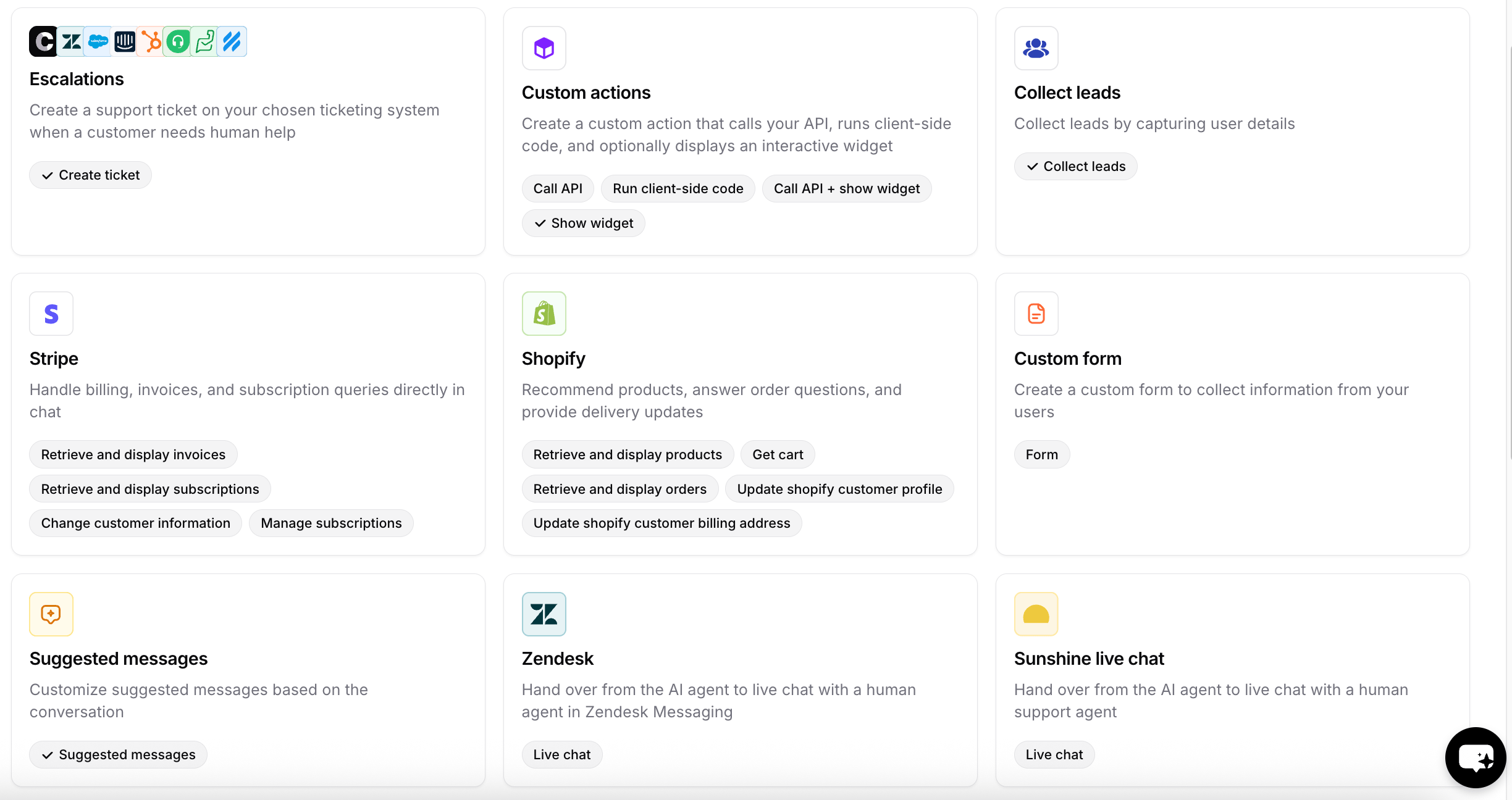
AI actions let your AI agent do more than answer questions. During a conversation, the AI agent can trigger a task, pull in data, or hand off to a person, so it can actually resolve requests instead of just replying to them. Each action connects your AI agent to a specific tool or workflow.
You can create more than one action of the same type. For example, Escalations on your website and Escalations on Instagram, in case they need separate **When to use** rules or different data to collect from the customer before opening the ticket.
## Available actions
### Support and handoff
| Action | What it does |
| -------------------------------------------------------------------------- | --------------------------------------------------------------------------------- |
| [Escalations](/docs/user-guides/chatbot/actions/escalate-to-human) | Create a support ticket in your ticketing system when a customer needs human help |
| [Chatbase live chat](/docs/user-guides/chatbot/actions/chatbase-live-chat) | Hand off from the AI agent to a human agent in Chatbase |
| [Salesforce live chat](/docs/user-guides/chatbot/actions/salesforce-actions) | Hand off to a human agent in Salesforce |
| [Sunshine live chat](/docs/user-guides/integrations/sunshine) | Hand off to a human agent in Sunshine |
| [Transfer to phone number](/docs/user-guides/chatbot/actions/transfer-to-phone) | Forward a live voice call to a human on a phone number |
### Commerce
| Action | What it does |
| ----------------------------------------------------------------- | ------------------------------------------------------------------------------------------------------------------------ |
| [Shopify](/docs/user-guides/chatbot/actions/shopify-actions) | Recommend products, manage the cart, place orders, handle returns and exchanges, and answer order and delivery questions |
| [Stripe](/docs/user-guides/chatbot/actions/stripe-action) | Handle billing, invoices, and subscription queries in chat |
| [WhatsApp Catalog](/docs/user-guides/chatbot/actions/whatsapp-catalog) | Setup guide: show your Shopify products as native WhatsApp product cards instead of plain text |
### Lead capture
| Action | What it does |
| ----------------------------------------------------------- | --------------------------------------------------------------- |
| [Collect leads](/docs/user-guides/chatbot/actions/collect-leads) | Capture customer details as leads |
| [Collect data](/docs/user-guides/chatbot/actions/collect-data) | Conversationally collect any custom fields you define, mid-chat |
| [Custom form](/docs/developer-guides/client-side-custom-forms) | Collect information from customers with a custom form |
### Scheduling
| Action | What it does |
| ------------------------------------------------- | --------------------------------------------------------------------------- |
| [Cal.com](/docs/user-guides/chatbot/actions/cal) | Let customers check availability and book meetings without leaving the chat |
| [Calendly](/docs/user-guides/chatbot/actions/calendly) | Let customers check availability and book meetings without leaving the chat |
### Other
| Action | What it does |
| --------------------------------------------------------------------- | ------------------------------------------------------------------------------ |
| [Custom actions](/docs/user-guides/chatbot/actions/custom-action) | Call your API, run client-side code, and optionally show an interactive widget |
| [Suggested messages](/docs/user-guides/chatbot/actions/suggested-messages) | Show suggested replies based on the conversation |
| [Slack](/docs/user-guides/chatbot/actions/slack) | Send notifications and updates to your Slack channels |
| [Web search](/docs/user-guides/chatbot/actions/web-search) | Give your AI agent real-time web search to answer questions with live data |
| [Custom button](/docs/user-guides/chatbot/actions/custom-button) | Add buttons that trigger your own links and redirects |
 ## Only use in procedures
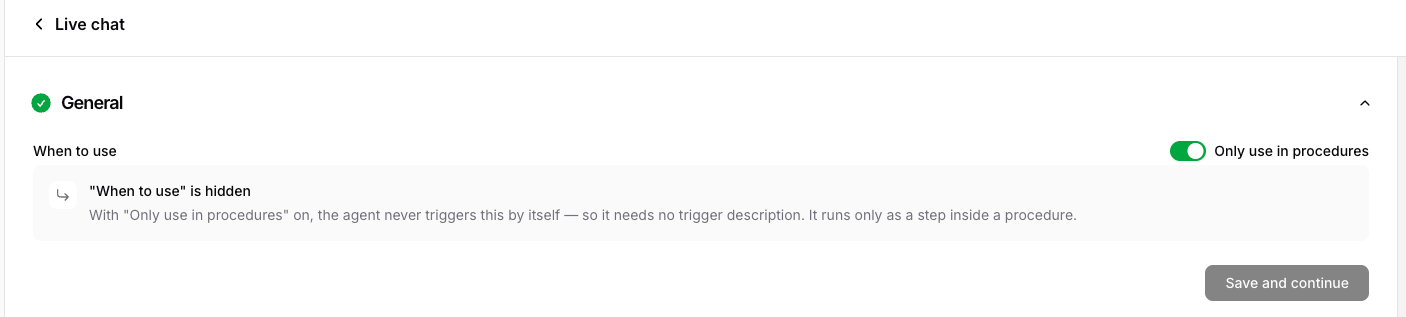
Every action has an **Only use in procedures** setting in its configuration. Turn it on when you want the action to run **only** as a step inside a [procedure](/docs/user-guides/chatbot/procedures/procedures-overview), never on the AI agent's own initiative.
When enabled, the action stays fully functional, but the AI agent won't call it based on its own judgment; it fires only when a procedure step references it with `@action_name`. Because the AI agent no longer decides when to use it, its **When to use** field is hidden.
Use it for high-control or sensitive tools (refunds, cancellations, escalations) that should fire only at the right point in a defined flow. See [How procedures run](/docs/user-guides/chatbot/procedures/how-procedures-run#procedure-only-actions) for how this behaves at runtime.
## Only use in procedures
Every action has an **Only use in procedures** setting in its configuration. Turn it on when you want the action to run **only** as a step inside a [procedure](/docs/user-guides/chatbot/procedures/procedures-overview), never on the AI agent's own initiative.
When enabled, the action stays fully functional, but the AI agent won't call it based on its own judgment; it fires only when a procedure step references it with `@action_name`. Because the AI agent no longer decides when to use it, its **When to use** field is hidden.
Use it for high-control or sensitive tools (refunds, cancellations, escalations) that should fire only at the right point in a defined flow. See [How procedures run](/docs/user-guides/chatbot/procedures/how-procedures-run#procedure-only-actions) for how this behaves at runtime.