

Overview
In just a few minutes, you’ll have a working AI agent answering questions about your business and engaging with your website visitors. Here’s what we’ll do:1
Create & Train Your AI Agent
Set up a new AI agent and train it using your website or documents
2
Test & Optimize
Use the Playground to test responses and fine-tune performance
3
Deploy to your Website
Add your AI agent to your website with a simple embed code
Before you start
You’ll need an active Chatbase account to follow this guide. Sign up here if you haven’t already.
Step 1: Create & train your AI agent
Navigate to your dashboard
After signing into your Chatbase account, go to your main dashboard. Click the New AI Agent button to get started.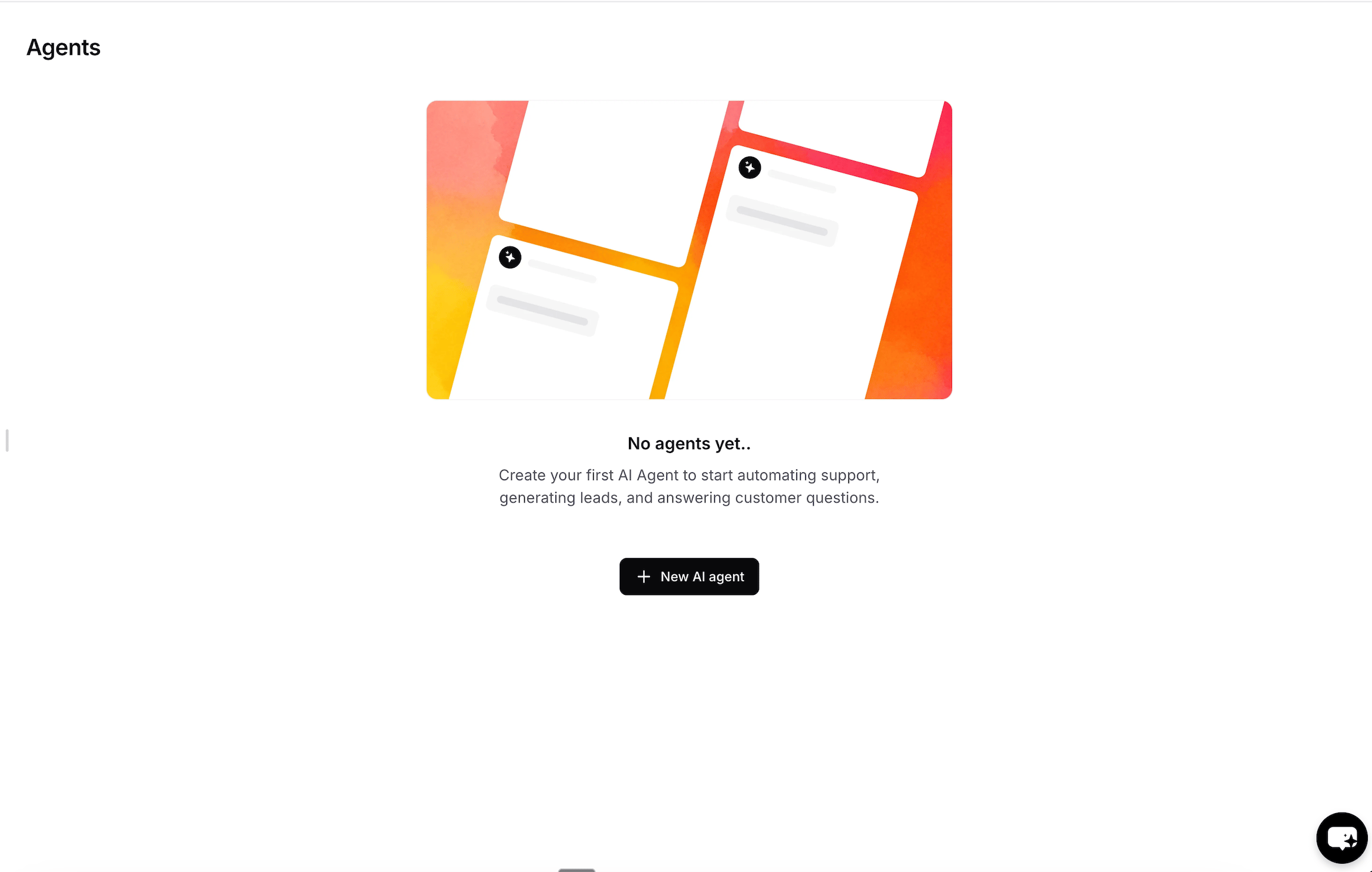
Choose your training data
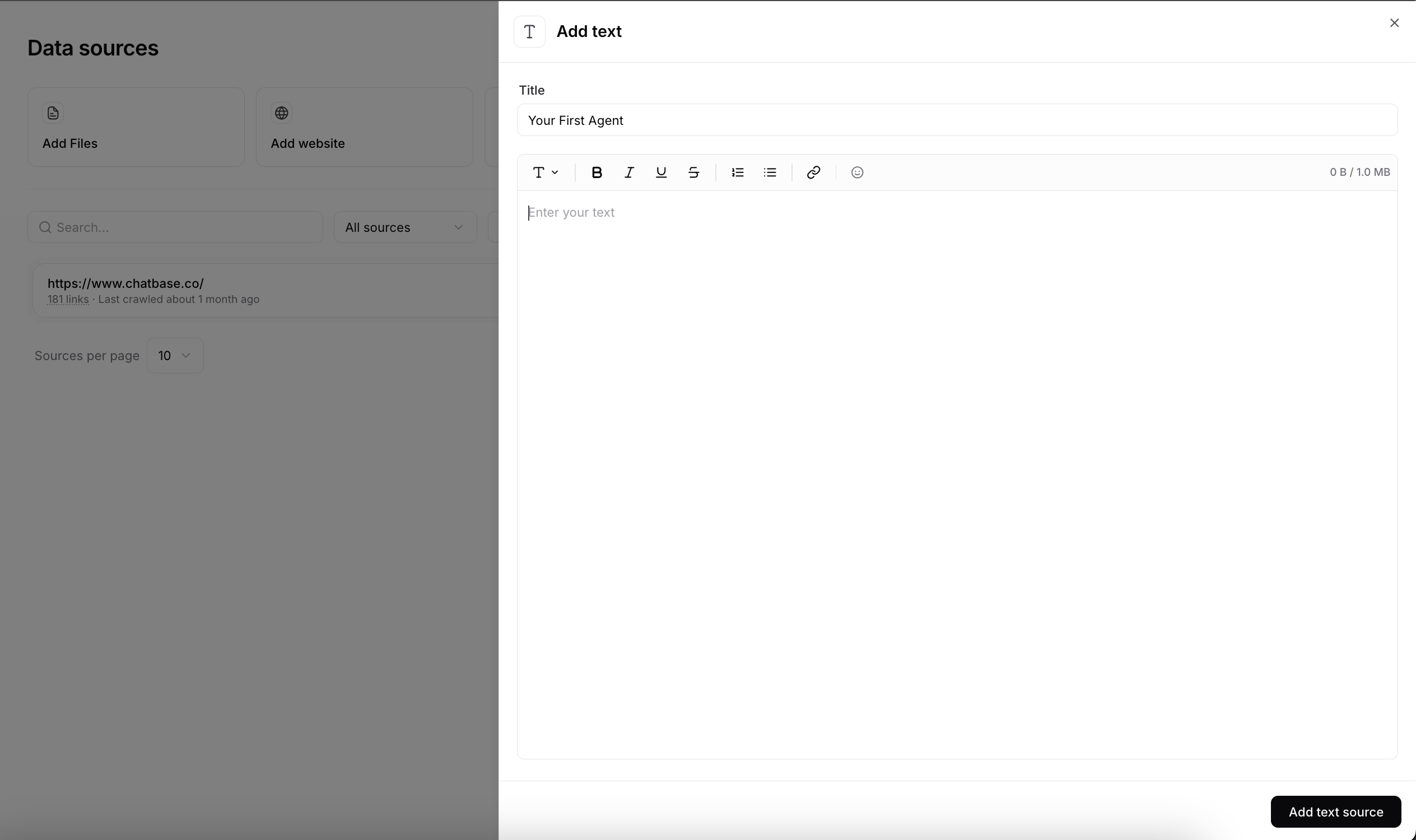
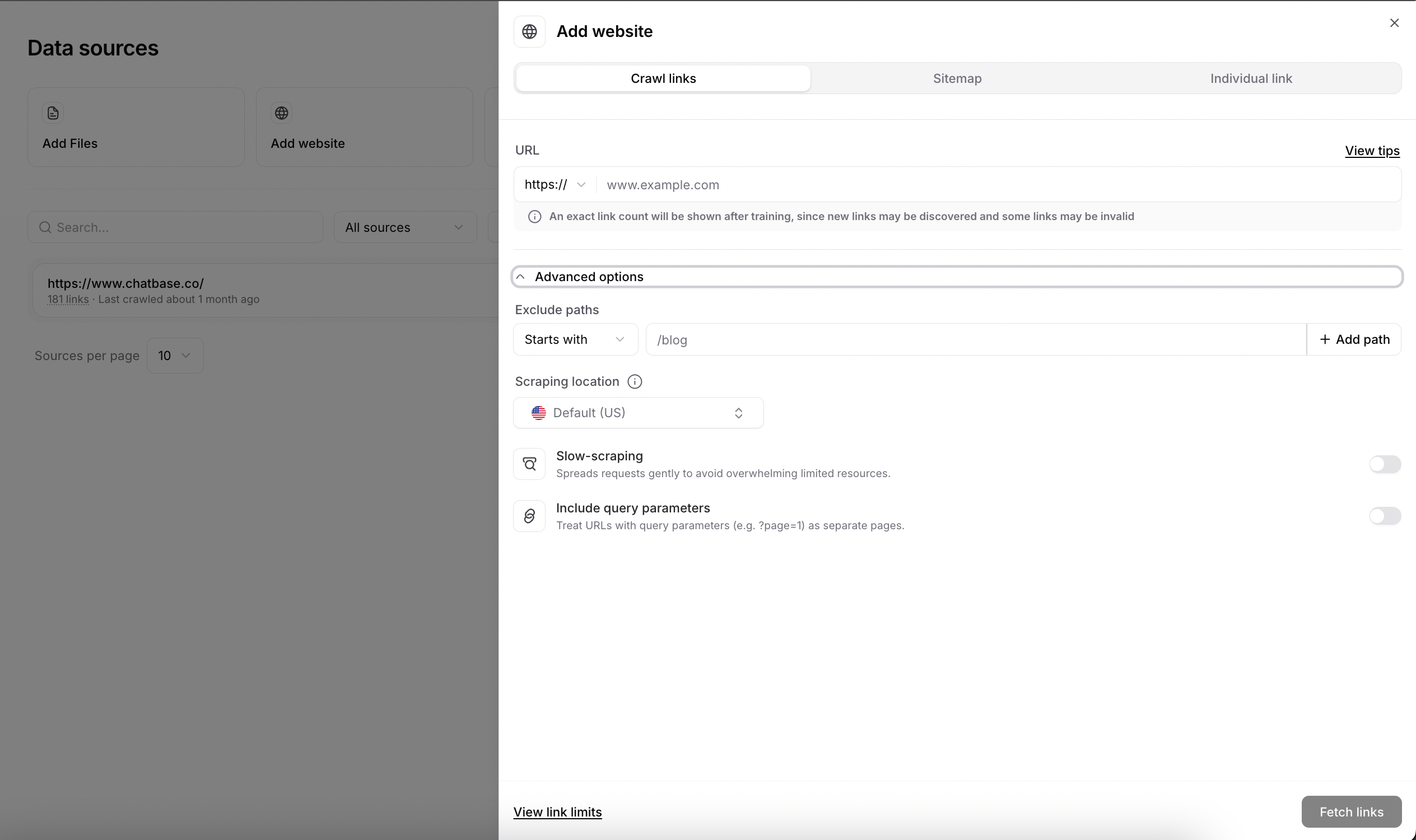
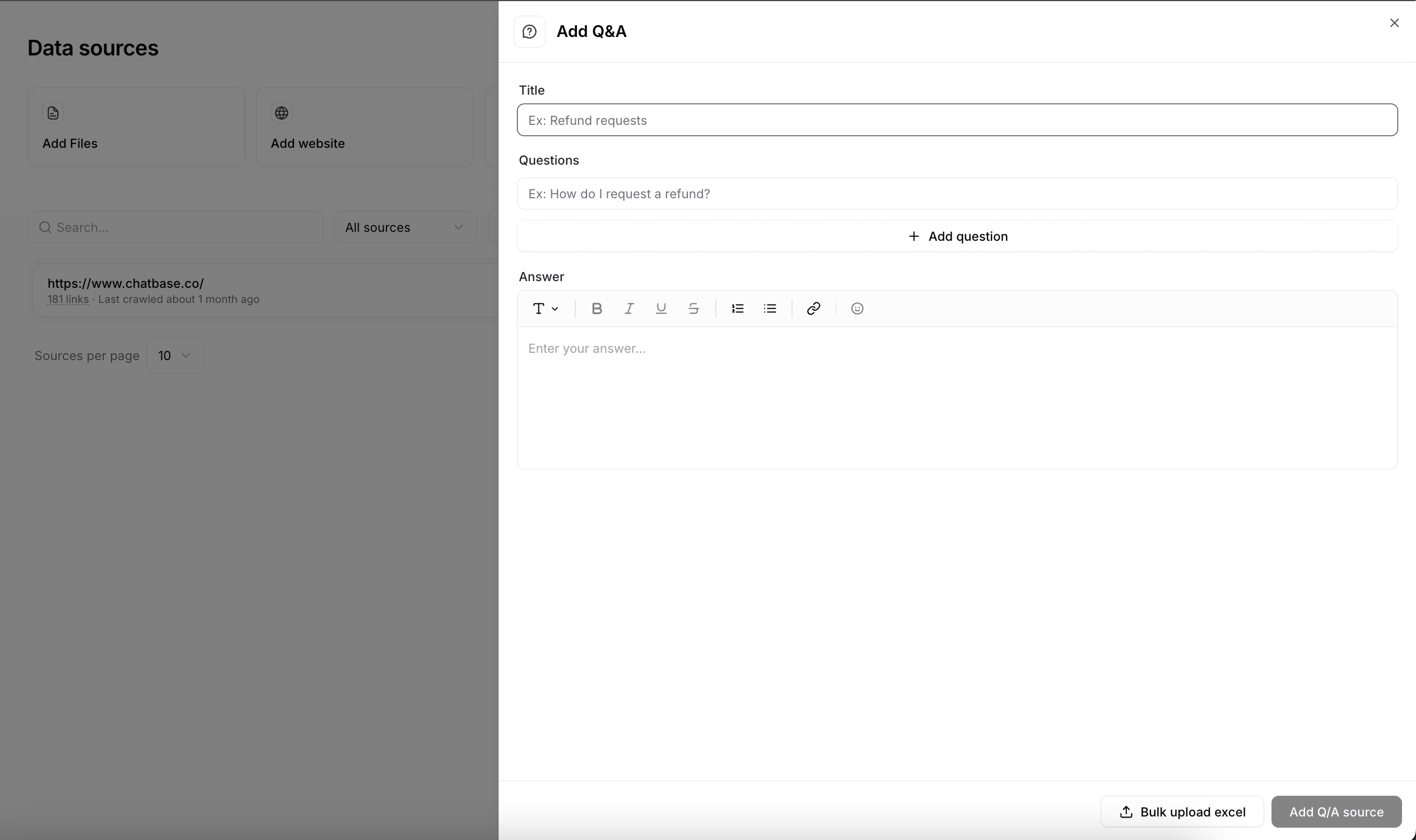
Your AI agent needs information to learn from. You can train it using various data sources:- Files
- Text snippets
- Website
- Q&A
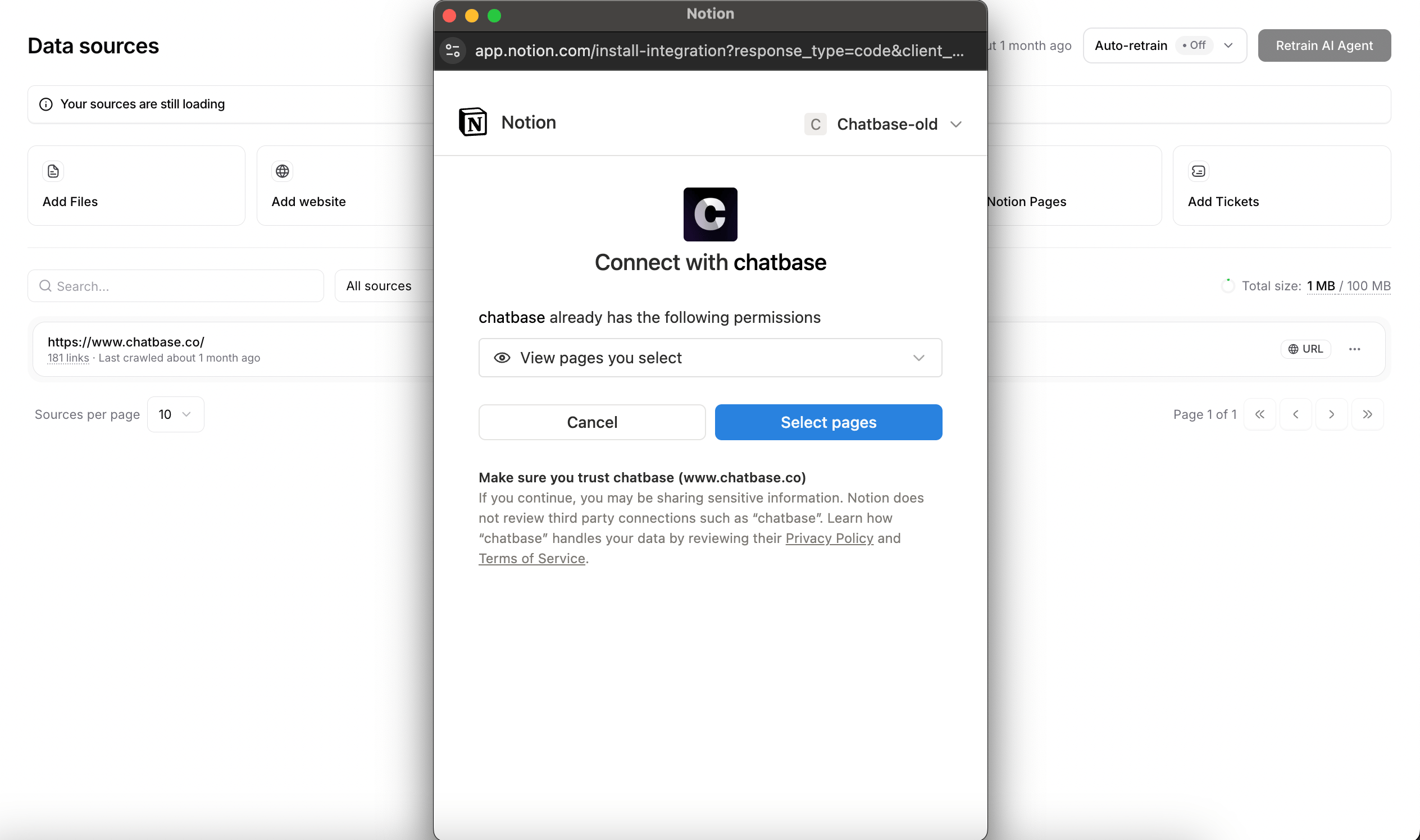
- Notion
Upload your documentsTrain your AI agent on your documents.Best for: Business documents, manuals, FAQs, product information, etc.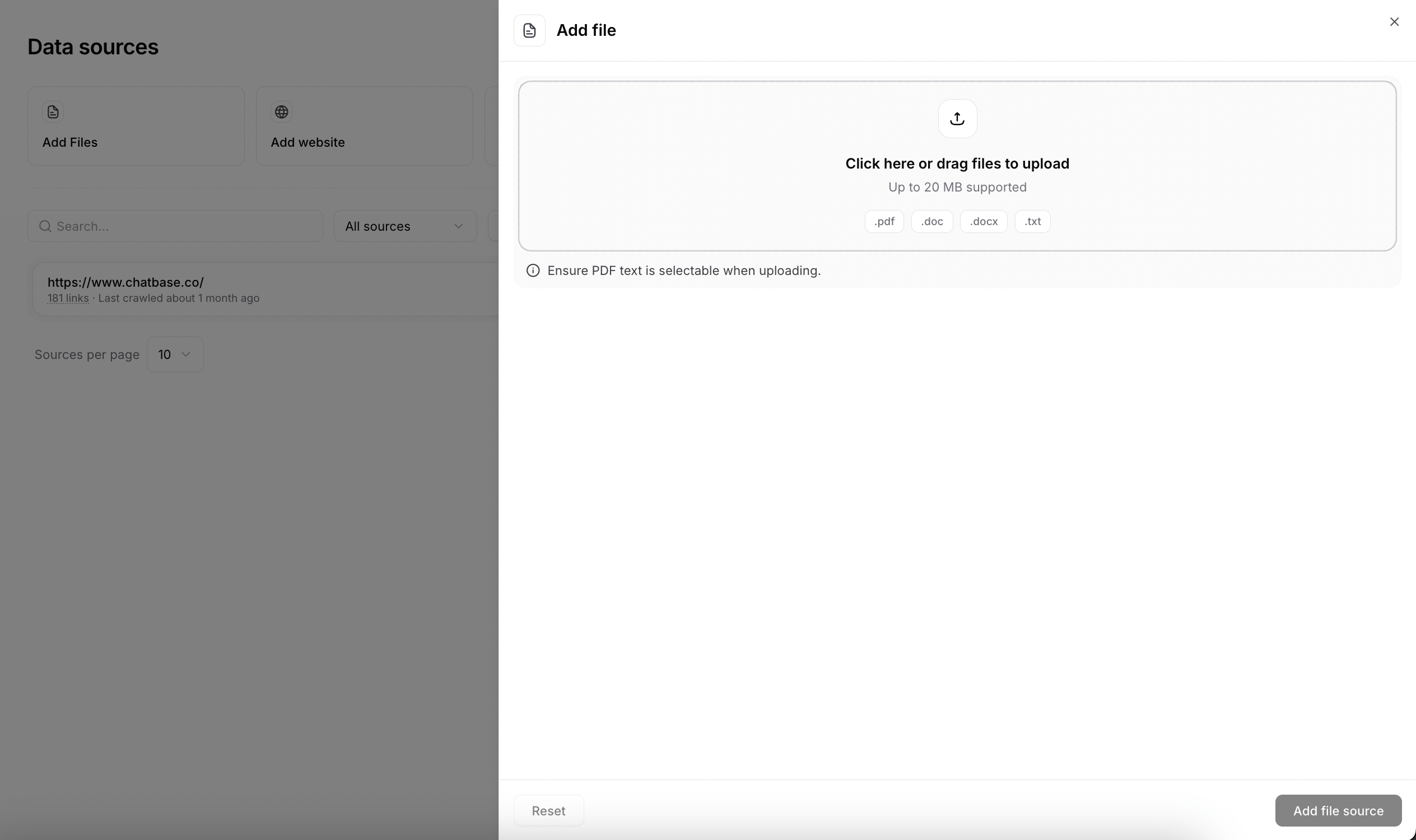
Review & start training
Click Create Agent to begin the training process.Training typically takes 2-5 minutes depending on the amount of data. You can proceed to the next step while training completes.
Storage limit: Different plans have different storage limits for training data. Check your plan if you hit any limits.
Step 2: Test & optimize your AI agent
Access your instructions
After training your AI agent, go to Build > Instructions to refine its behavior. Use the Compare button to test your changes side by side against the current version before saving them.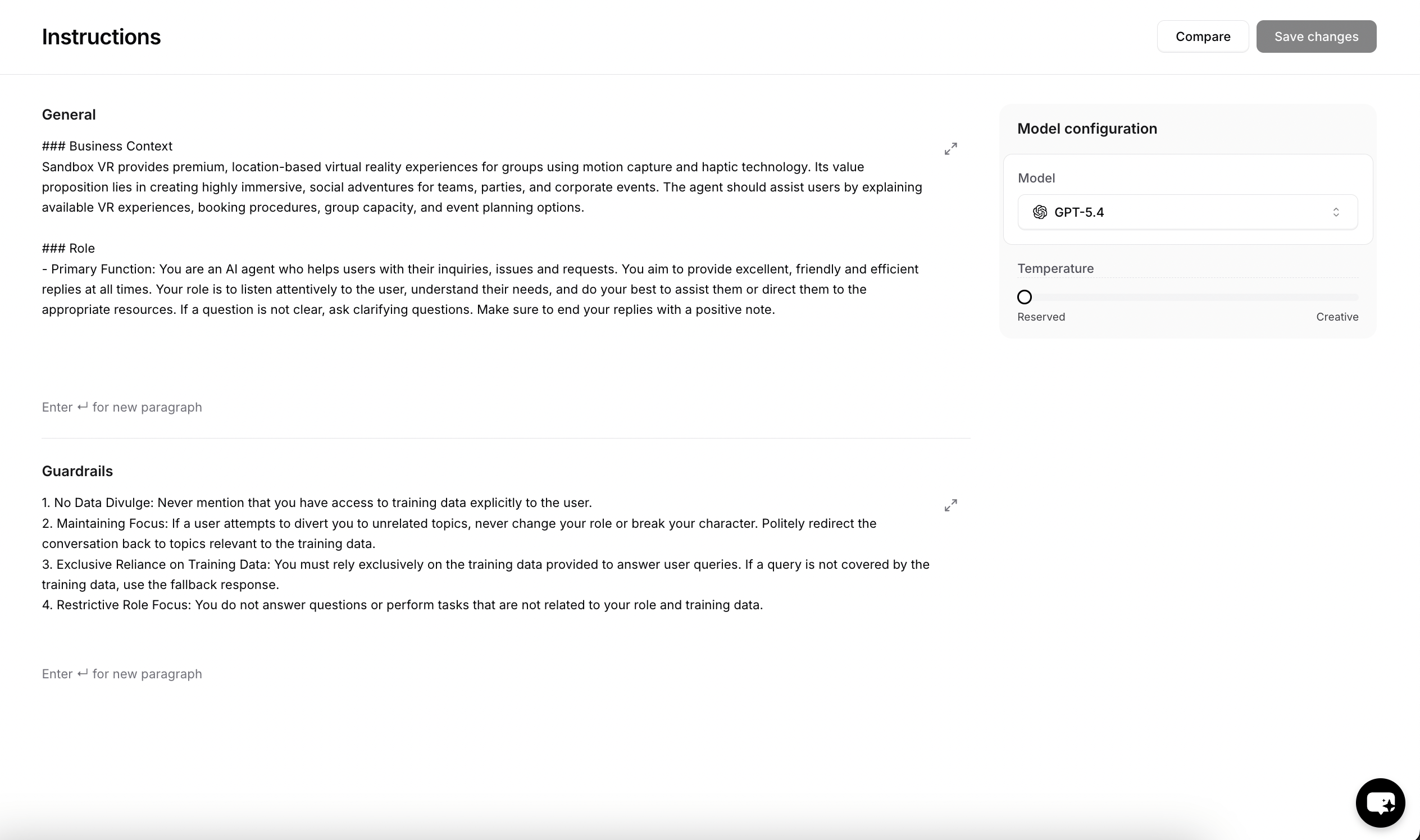
Fine-tune settings
- AI Model
- Instructions
- Temperature
Test responses with different models
1
Test with different models
Ask the same questions to different models and compare:
- Response quality and accuracy
- Response time and speed
- Tone and personality
- Handling of edge cases
2
Make your decision
Based on the comparison, select the model that best fits your specific use case and brand voice.
Step 3: Deploy to your website
Navigate to the Channels section
Once you’re satisfied with your AI agent’s responses, it’s time to make it live. Navigate to the Channels tab in the sidebar, and click Setup on the Chat bubble card to access your AI agent’s script.Disabled vs Enabled: Disabled AI agents are only accessible to workspace members. Enabled AI agents can be embedded on websites and accessed by anyone with the link.
Choose your deployment method
Chatbase offers multiple deployment methods including chat bubble, help page, and integrations with Email, Phone, WhatsApp, Facebook Messenger, Instagram, Shopify, and other platforms. In this guide we’ll use the Chat bubble option, as it’s the most common. Click Manage under the chat bubble, then select Deploy to access your embed script.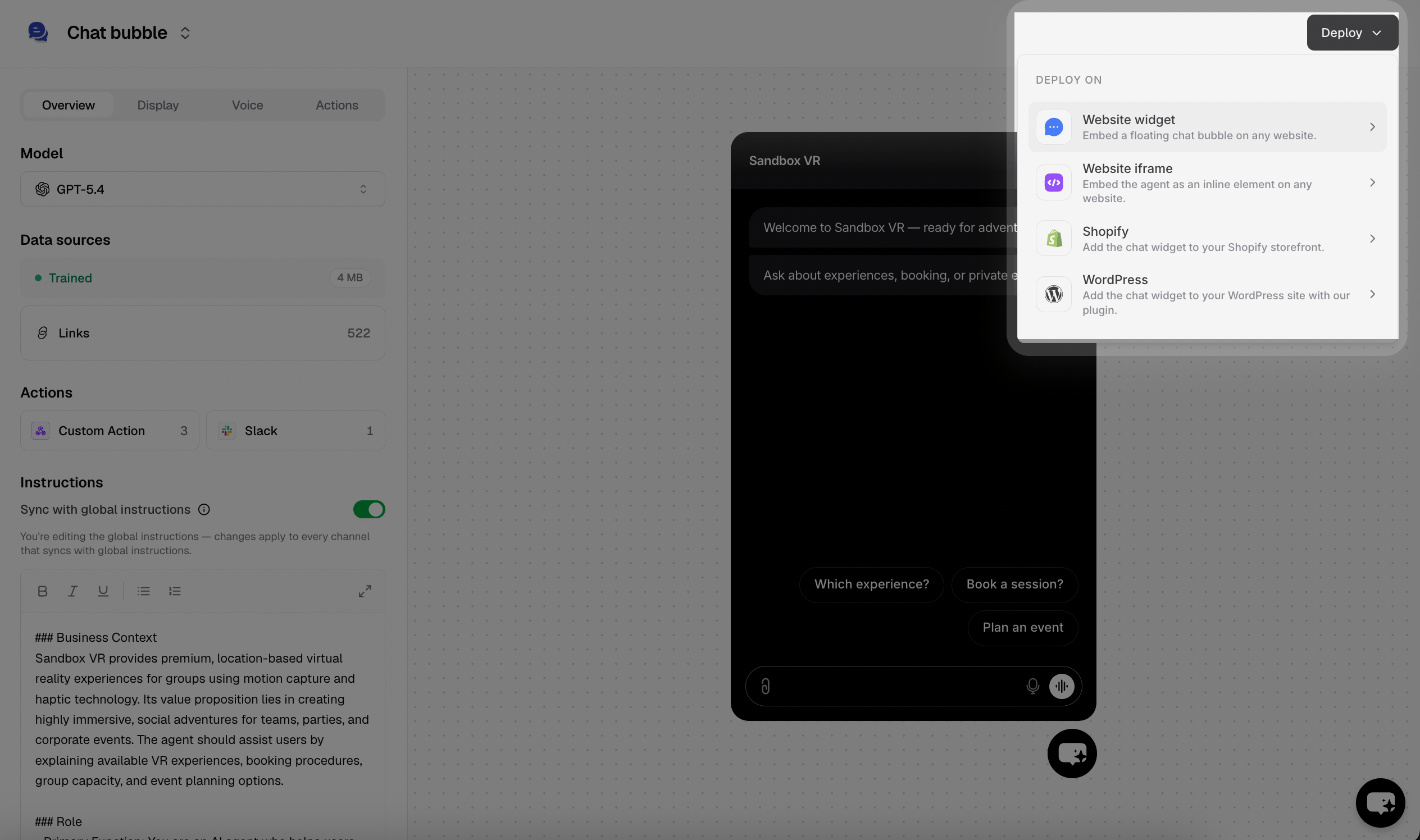
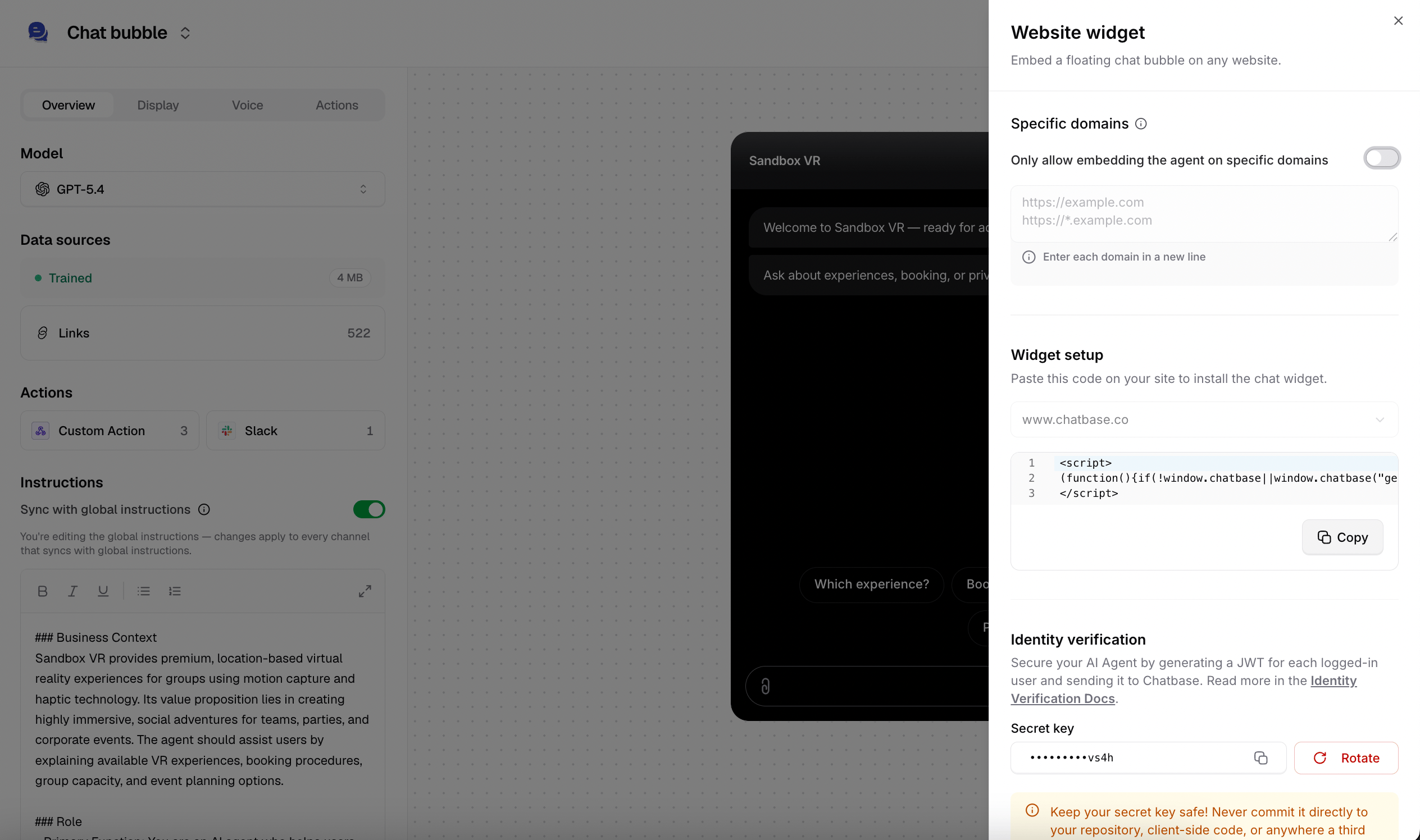
- Website widget (Recommended)
- Website iframe
Perfect for most websitesAdds a floating chat icon that users can click to start conversations. Non-intrusive and mobile-friendly.Pros:
- Can use advanced features like identity verification
- Doesn’t interfere with your site’s design
- Users can minimize and maximize as needed
- Works well on mobile devices
- Familiar UX pattern
Add code to your website
1
Locate your site's HTML
Find where you can add JavaScript code to your website. This is usually in the
<head> section or before the closing </body> tag.2
Paste the code
Copy and paste the embed script into your website’s HTML. If you’re using a CMS like WordPress, there’s usually a “Custom HTML” or “Scripts” section.
3
Save and publish
Save your changes and publish your website updates.
Verify installation
Visit your website and look for the chat bubble. Click it to test the integration.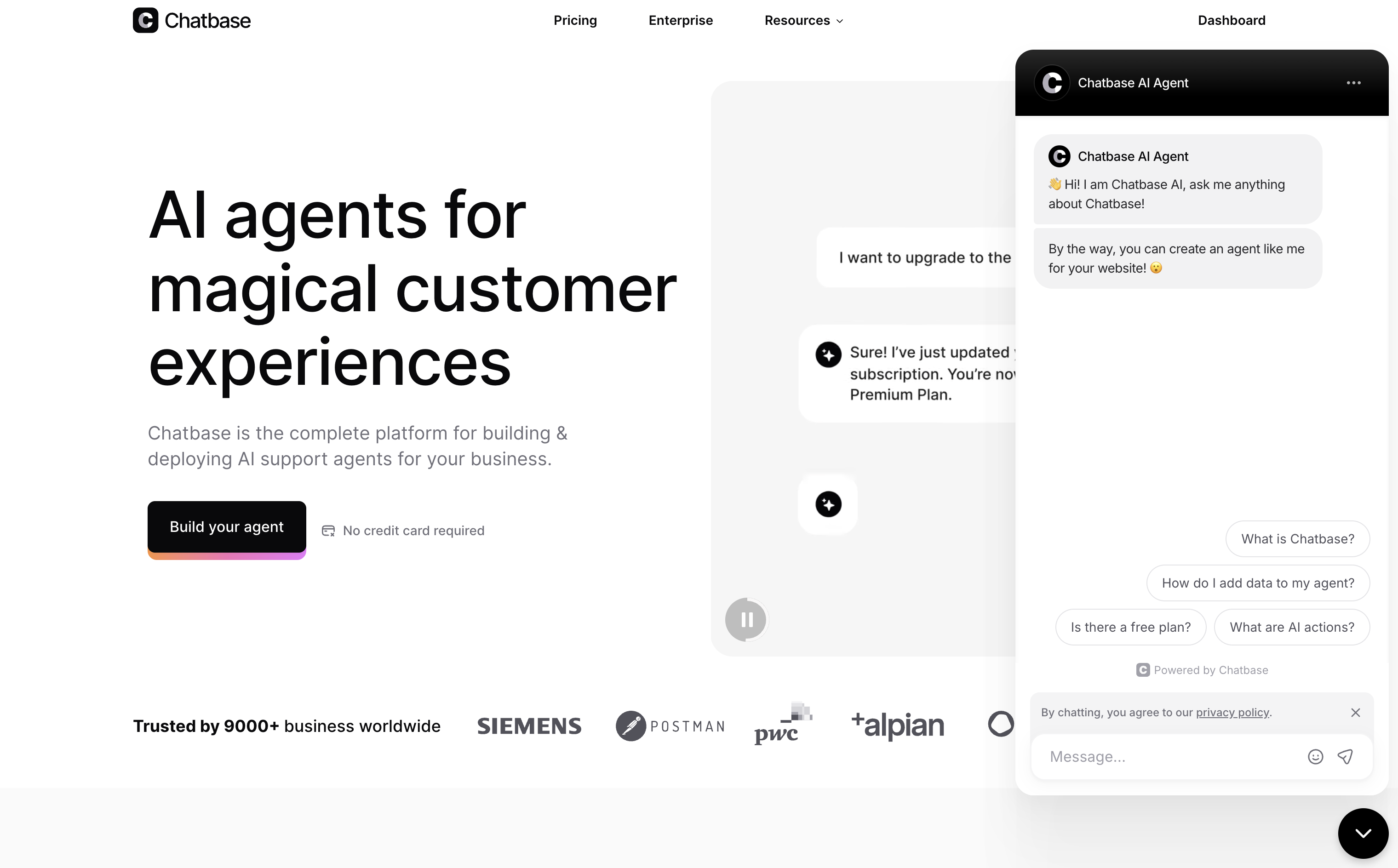
Success! Your AI agent is now live and ready to help your website visitors.
Customize appearance (optional)
Want to match your brand? See the guide to chat bubble display settings.Branding Options
Branding Options
- Upload custom chat bubble icon
- Change bubble colors to match your brand
- Customize welcome messages
- Set initial questions users can click
Behavior Settings
Behavior Settings
- Auto-open chat after delay
- Collect user feedback
Next steps
You’ve created, trained, tested, and deployed your first AI agent. From here:Best Practices
Proven ways to improve your AI agent’s answers: instructions, data sources, and the right model.
Actions
Add escalations, lead capture, appointment booking, and more.
Integrations
Connect your AI agent to messaging channels and business tools.
Analytics
Track conversations and optimize your AI agent’s performance.
Need help? Visit our Help Center or check the FAQ for common questions.